
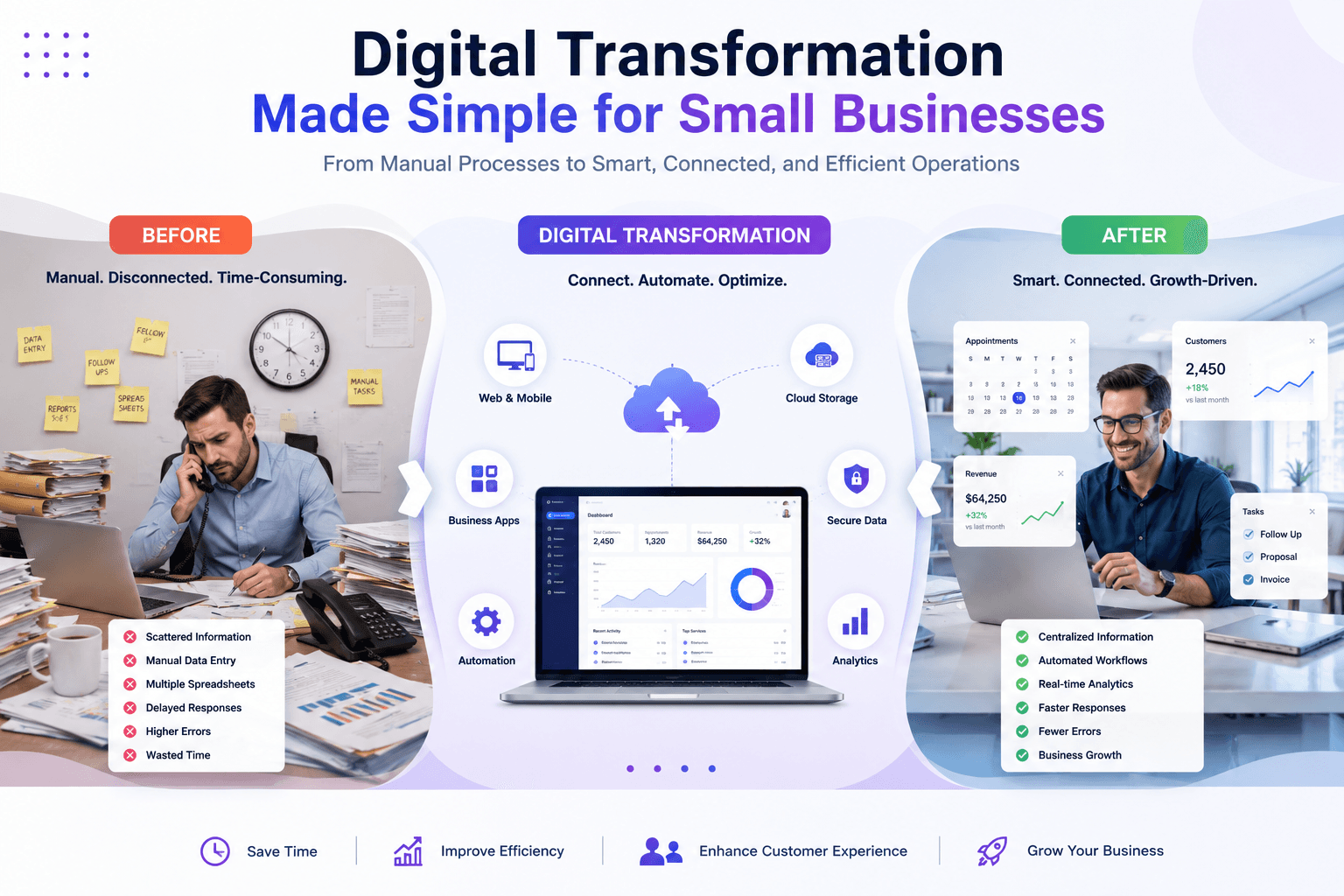
Digital transformation is no longer something only large enterprises need to think about. Today, even a small business can use digital technology to improve operations, serve customers faster, reduce repetitive work, and compete more effectively.
However, the phrase digital transformation can sound complicated. Many small business owners imagine expensive software, large IT teams, lengthy implementation projects, or a complete replacement of their existing systems. In reality, digital transformation can start with something much simpler: identifying one business problem and using the right technology to solve it.
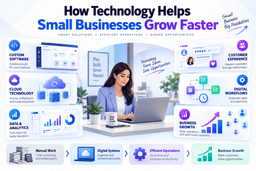
For example, a business might replace manual spreadsheets with a centralized application, create a professional website to generate leads, introduce an online booking system, connect customer information across departments, or develop a custom application for a process that off-the-shelf software cannot handle.
A practical approach is to start small, measure results, and expand gradually.
For businesses looking for technical guidance, exploring professional IT services and custom technology solutions can also help turn digital ideas into practical business systems rather than isolated software purchases.
What Is Digital Transformation for Small Businesses?
Digital transformation is the process of using digital technologies to improve how a business operates, interacts with customers, manages information, and creates value.
For a small business, transformation does not necessarily mean adopting dozens of new tools. Instead, it means making technology an effective part of everyday business operations.
A traditional business might manage customer information through spreadsheets, communicate through multiple messaging platforms, maintain paper records, and manually prepare reports.
A digitally enabled business could centralize customer information, automate routine notifications, provide online services, and use dashboards to understand performance.
The difference is not simply having more technology. The real difference is how technology improves the business process.
Digital Transformation vs. Digitalization
These terms are often used interchangeably, but there is an important distinction.
Digitization means converting information from a physical format into a digital format. For example, scanning paper documents into digital files.
Digitalization means using digital tools to improve an existing process. For example, replacing manual invoice tracking with accounting software.
Digital transformation goes further. It involves changing the way a business operates by redesigning processes, customer experiences, and systems around digital capabilities.
For a small business, these changes can happen gradually.
Why Digital Transformation Matters for Small Businesses
Small businesses often operate with limited employees, budgets, and resources. This makes efficiency particularly important.
A well-planned digital transformation strategy can help a company accomplish more without proportionally increasing its operational workload.
1. Improve Operational Efficiency
Manual processes consume valuable time.
Employees may spend hours entering information, creating reports, searching for customer records, sending repetitive messages, or moving information between different systems.
Digital solutions can reduce this unnecessary effort.
For example:
- Online forms can replace paper forms.
- Digital dashboards can replace manually prepared reports.
- Centralized databases can replace scattered spreadsheets.
- Online scheduling can reduce back-and-forth communication.
- Custom applications can streamline specialized workflows.
The objective is not to remove people from the process. Instead, technology should allow employees to spend more time on work that requires judgment, creativity, and customer interaction.
2. Create Better Customer Experiences
Customers increasingly expect businesses to provide convenient digital experiences.
A professional website, online inquiry form, appointment system, customer portal, or mobile-friendly application can make it easier for customers to interact with a business.
For instance, imagine a service company that previously accepted appointments only through phone calls. An online booking system can allow customers to check availability and submit appointments at any time.
That small change can improve convenience while reducing administrative work.
3. Make Better Business Decisions
Business owners need accurate information to make good decisions.
Unfortunately, many small businesses still depend on disconnected spreadsheets and manually prepared reports.
Digital systems can bring important information together and make it easier to analyze.
A business might track:
- Sales performance
- Customer acquisition
- Website inquiries
- Employee productivity
- Inventory levels
- Service requests
- Revenue trends
- Customer retention
With better data visibility, business owners can make decisions based on actual business performance rather than assumptions.
The U.S. Small Business Administration’s guidance on technology also highlights the importance of preparing business operations and protecting critical information as organizations become increasingly dependent on digital systems.
Digital Transformation Made Simple: Start With the Problem
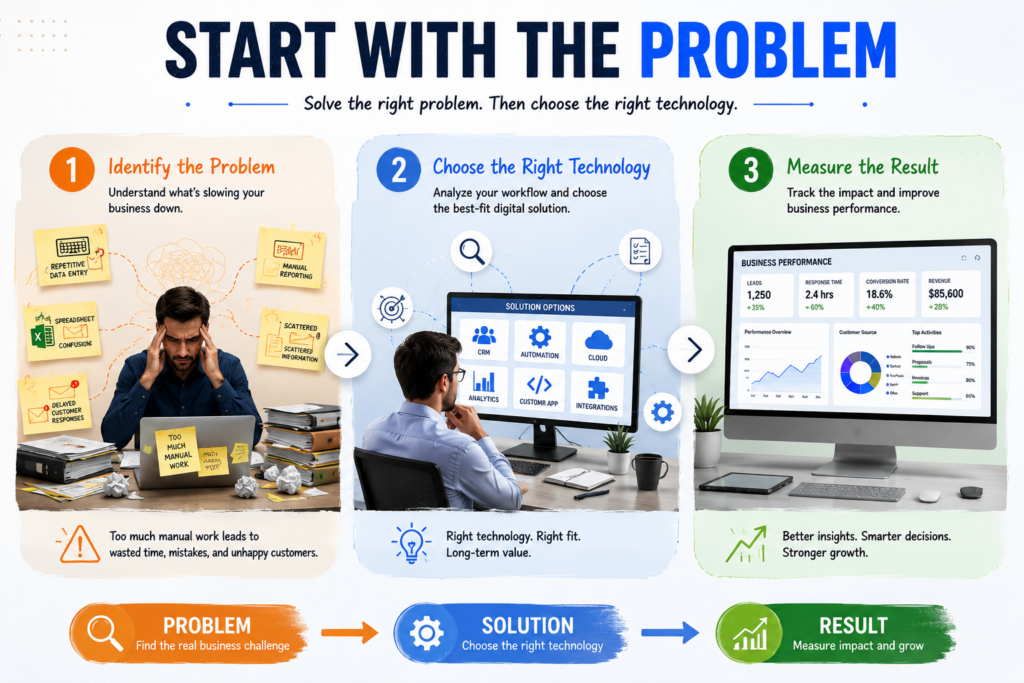
The easiest way to approach digital transformation for small businesses is to avoid starting with technology.
Start with the problem.
Instead of asking, “What software should we buy?” ask:
“Which business process is creating the most unnecessary work or limiting our growth?”
This simple change in thinking can prevent expensive technology decisions.
Identify Repetitive Tasks
Write down the tasks employees perform repeatedly every day or every week.
Examples include:
- Entering the same customer information multiple times
- Preparing similar reports
- Following up manually with leads
- Updating inventory records
- Managing appointment requests
- Generating invoices
- Searching through different files for information
These processes are strong candidates for digital improvement.
Find the Biggest Bottleneck
Not every process needs to be transformed immediately.
Choose the bottleneck that has the greatest effect on productivity, customer experience, revenue, or operational cost.
For example, if a business receives hundreds of customer inquiries but struggles to organize them, improving lead management may provide more value than redesigning its internal documentation system.
Define the Desired Result
Before selecting a technology solution, define what success looks like.
Instead of saying:
“We need a new application.”
Define the objective:
“We want to reduce the time required to process customer requests from two hours to thirty minutes.”
That creates a measurable target.
Common Technologies Small Businesses Can Use
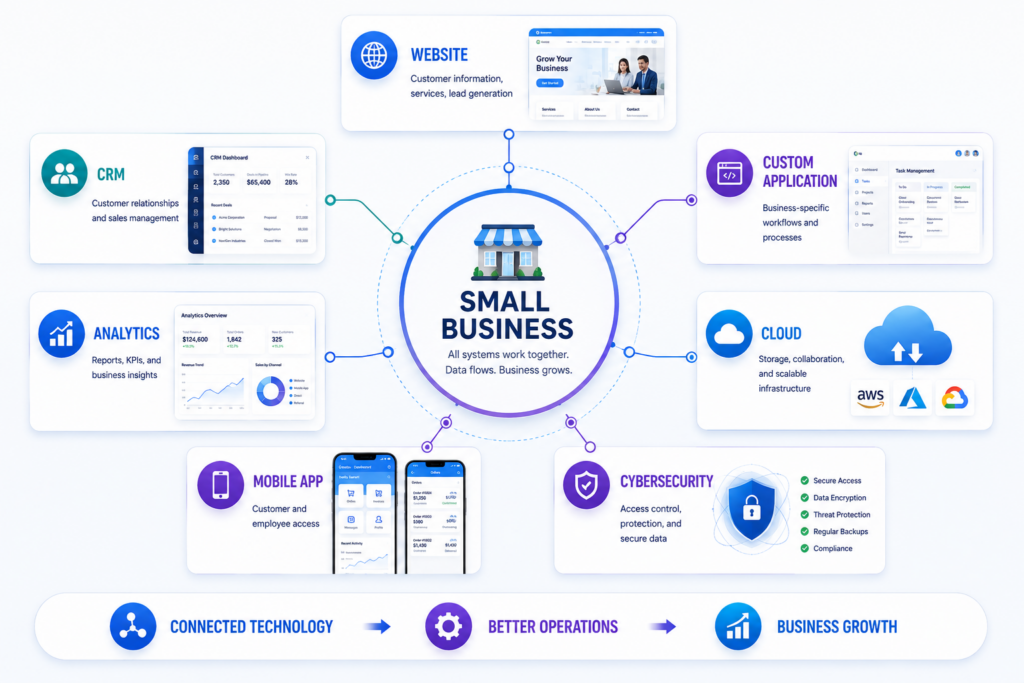
Digital transformation does not require every business to use the same technology stack. The right combination depends on the company’s size, industry, customers, and processes.
Business Websites and Web Applications
A website is often the first digital touchpoint between a company and its customers.
However, modern business websites can do much more than display company information.
They can include:
- Lead-generation forms
- Customer dashboards
- Online payments
- Booking systems
- Product catalogs
- Customer portals
- Support systems
- Membership functionality
When standard website features are not enough, a custom web application can be designed around the company’s specific workflow.
Custom Business Applications
Off-the-shelf software is useful for many common business requirements. However, businesses sometimes have unique processes that generic applications cannot support effectively.
A custom application can be designed around those specific requirements.
For example, a company may need a system that combines customer management, internal approvals, reporting, inventory tracking, and role-based access in one platform.
Instead of forcing employees to adapt to several unrelated tools, a custom application can be built around the actual workflow.
This is where choosing an experienced custom software and application development provider can make a significant difference. The right development approach begins with understanding the business process before selecting the technical architecture.
Cloud-Based Systems
Cloud technology allows businesses to access applications and information without depending entirely on local infrastructure.
Cloud-based systems can support:
- Remote access
- Data synchronization
- Collaboration
- Scalable storage
- Centralized information
- Easier system maintenance
Cloud adoption should still be planned carefully. Businesses need to consider permissions, backups, security, compliance, and vendor reliability.
Customer Relationship Management
A CRM system helps businesses organize customer information and interactions.
Instead of keeping customer details across spreadsheets, email inboxes, and personal notes, a CRM can provide a centralized view of customer activity.
This can help sales and service teams understand:
- Who the customer is
- What they previously requested
- Where a lead is in the sales process
- Which follow-up is due
- What communication has already occurred
Analytics and Business Intelligence
Data becomes more valuable when a business can understand it.
Analytics tools can help identify patterns in sales, marketing, customer behavior, and operations.
Even a simple dashboard showing a few important KPIs can be more useful than a large spreadsheet containing hundreds of unrelated numbers.
Build a Practical Digital Transformation Roadmap
A roadmap prevents digital transformation from becoming an unorganized collection of software purchases.
Step 1: Assess Current Operations
Document how important processes work today.
Ask:
- What is manual?
- Where do delays occur?
- Which systems are currently being used?
- Where is information duplicated?
- Which tasks create the most errors?
- What frustrates employees or customers?
Step 2: Prioritize High-Value Improvements
Rank potential improvements according to business impact and implementation effort.
A useful approach is to divide initiatives into four groups:
| Priority | Example |
|---|---|
| High impact, low effort | Digital forms or scheduling |
| High impact, high effort | Custom business application |
| Low impact, low effort | Minor workflow improvements |
| Low impact, high effort | Complex features with little business value |
Start with improvements that offer clear value.
Step 3: Choose the Right Technology
Technology should support the business objective.
Depending on the requirement, the solution might be:
- An existing SaaS platform
- A cloud-based application
- A custom website
- A mobile application
- A custom web application
- An API integration
- A centralized database
- A reporting dashboard
There is no universal solution.
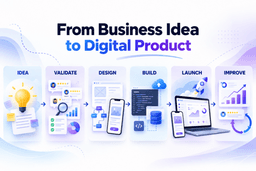
Step 4: Implement in Phases
Small businesses do not always need a large, one-time transformation.
A phased approach can be safer and easier to manage.
For example:
- Phase 1: Build the core application.
- Phase 2: Add customer management.
- Phase 3: Introduce analytics.
- Phase 4: Connect third-party systems.
- Phase 5: Improve automation and advanced functionality.
This approach allows the company to learn from each stage before investing further.
Security Should Be Part of the Transformation
Digital growth without security can create new risks.
As businesses move customer records, financial information, employee data, and operational processes online, cybersecurity needs to become part of the transformation strategy.
The Cybersecurity and Infrastructure Security Agency (CISA) provides practical guidance for organizations looking to strengthen cybersecurity practices.
Small businesses should consider basic protections such as:
- Strong passwords
- Multi-factor authentication
- Role-based access
- Regular backups
- Software updates
- Secure APIs
- Encryption where appropriate
- Employee security awareness
- Monitoring for suspicious activity
Security should not be treated as a feature added at the end of development. It should be considered during system design.
How Much Does Digital Transformation Cost?
There is no single price for digital transformation.
The cost depends on the complexity of the business problem, the technology involved, the number of users, integrations, security requirements, and long-term maintenance needs.
A small business might begin with a relatively simple website or cloud application. Another company may require a custom platform with multiple integrations and specialized functionality.
The important question is not simply:
“How much will the technology cost?”
Instead, consider:
“What business value will the technology create?”
For example, if a solution saves employees 20 hours every week, reduces errors, improves customer conversion, and provides better reporting, its value can extend well beyond the initial development cost.
Common Digital Transformation Mistakes
Small businesses can avoid many problems by understanding common mistakes before starting.
Trying to Transform Everything at Once
A complete transformation sounds attractive, but a large project can become expensive and difficult to manage.
Start with one important business problem.
Choosing Technology Before Understanding Requirements
A popular technology is not automatically the right technology.
Requirements should come first.
Ignoring Employees
Employees use business systems every day. If a new system is difficult to understand, adoption can become a major problem.
Involve employees early and provide appropriate training.
Forgetting Scalability
A solution should support future growth.
Consider what happens when the business doubles its customers, employees, transactions, or data volume.
Neglecting Maintenance
Launching a system is not the end of the project.
Software requires updates, security improvements, bug fixes, monitoring, backups, and sometimes new functionality.
A long-term maintenance plan should therefore be included in the technology strategy.
How Custom IT Solutions Can Support Small Business Growth
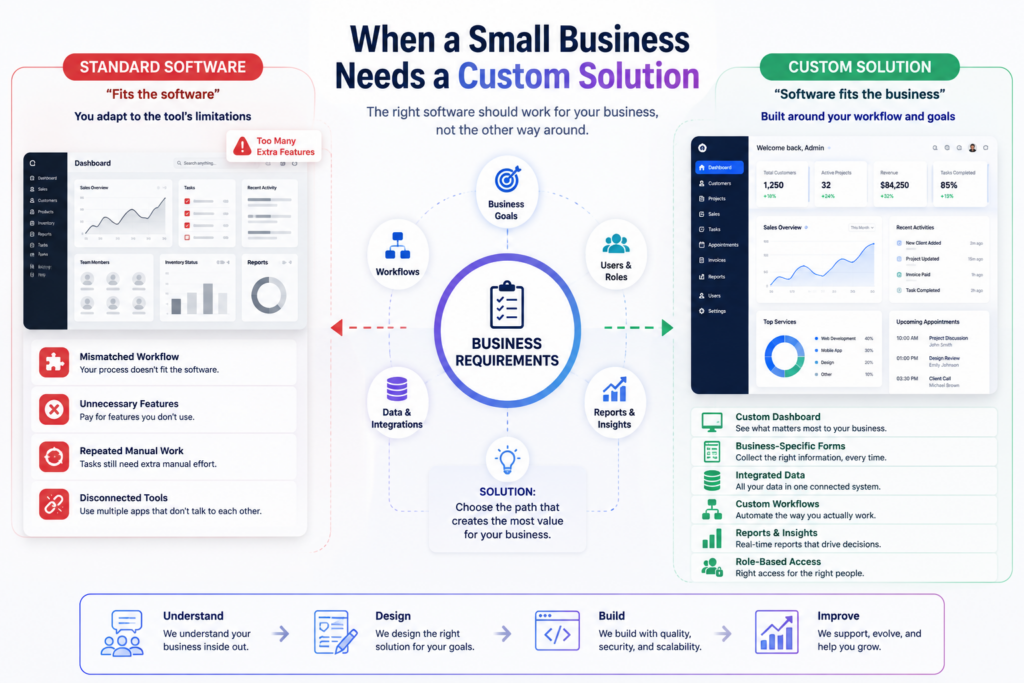
Every business has its own processes.
A retail company, professional service provider, logistics company, healthcare organization, or startup may have completely different operational requirements.
That is why custom IT solutions can be valuable when standard software creates limitations.
A properly designed custom solution can integrate business rules directly into the application.
For example, instead of employees manually checking whether an order meets specific conditions, the application can validate the requirements automatically and route the request to the appropriate team.
Similarly, a custom customer portal can provide users with information that is specifically relevant to their relationship with the business.
When evaluating a technology partner, businesses should look beyond development skills. Consider their ability to understand requirements, design scalable systems, communicate clearly, provide security-conscious development, and support the product after launch.
A provider with experience across custom websites, applications, and IT development services can be particularly useful when a business needs more than a standard software subscription.
Measuring the Success of Digital Transformation
Digital transformation should produce measurable results.
Useful KPIs may include:
- Reduction in manual processing time
- Lower operational costs
- Faster customer response times
- Increased lead conversion
- Higher customer satisfaction
- Reduced data-entry errors
- Increased employee productivity
- Improved revenue per customer
- Faster reporting
For example, suppose a business previously spent 30 hours each month preparing reports. After implementing a centralized reporting system, the process takes five hours.
That creates a measurable productivity improvement.
Similarly, if an online booking system increases completed appointments by 15%, the business can connect the technology investment to a business outcome.
The most successful transformation projects continuously measure these results and improve the system based on real-world feedback.
A Simple Example of Digital Transformation
Consider a small service business that manages customers through phone calls, spreadsheets, and email.
Its employees manually record inquiries, schedule appointments, send reminders, and prepare monthly reports.
The business decides to transform the process gradually.
First, it introduces an optimized website with an inquiry form.
Next, customer requests are stored in a centralized database.
Then, employees receive a dashboard showing new inquiries and appointment status.
An online booking feature is added afterward.
Finally, management receives a reporting dashboard showing inquiries, appointments, conversion rates, and revenue trends.
The business did not need to transform everything in one day.
Instead, each technology improvement solved a specific problem and created a foundation for the next improvement.
That is the practical meaning of digital transformation made simple for small businesses.
The Future of Digital Transformation for Small Businesses
Technology will continue to evolve, but the fundamental principle will remain the same: technology should solve real business problems.
Artificial intelligence, cloud platforms, advanced analytics, APIs, mobile applications, and connected systems will create new opportunities. However, businesses should not adopt a technology simply because it is popular.
The strongest strategy is to understand the business objective first and then determine which technology can deliver the desired outcome.
Small businesses also have an advantage that large organizations sometimes lack: agility.
A smaller company can often make decisions faster, test new solutions, collect feedback, and adapt its processes without navigating layers of bureaucracy.
That flexibility can make digital transformation a powerful competitive advantage.
Conclusion
Digital transformation made simple for small businesses starts with a straightforward idea: use technology to solve meaningful business problems.
You do not need to replace every system or invest in every new technology at once. Instead, identify inefficient processes, prioritize the highest-value opportunities, select appropriate technology, implement improvements in phases, and measure the results.
A professional website may be the right starting point for one business. A custom application, CRM, cloud platform, analytics dashboard, or integrated business system may be more appropriate for another.
The key is choosing technology based on business requirements rather than trends.
With a practical roadmap and the right technical expertise, small businesses can use digital transformation to improve efficiency, strengthen customer experiences, make better decisions, and create a stronger foundation for future growth. Working with an experienced technology partner can make that journey more structured and sustainable, particularly when the business requires custom IT solutions designed around its specific operational needs.
Digital transformation does not have to be overwhelming. Start with one problem, build one useful solution, measure the result, and grow from there.
Tags
Share this article
About the Author
Experienced IT professional specializing in enterprise solutions and modern technology implementations.
Related Articles
Stay Updated
Get the latest IT insights delivered to your inbox.